



Automation is generally used to minimize human assistance while working on a procedure. This is used by businesses when operations personnel don’t have much time to handle the things.
Undoubtedly, the use of automation can make your lives easier, but the security risks involved should be considered.
If you are planning to automate your business, you must contemplate security risks which concern network administrators and IT personnel. In this post, we have mentioned some of the security concerns that you should consider before automating business.
1. Hazards Of Using Automation For Cybersecurity
The cybersecurity teams at an organization are usually overburdened with responsibilities, which hampers their productivity. Therefore, automating their tasks could help them concentrate on more important and crucial tasks. However, using automation strategically is the cue to avoid any security risk.
If the standard procedures could be automated, then IT personnel can focus on crucial issues and work on potential threats and loopholes. However, the aim should be using automation which lightens the burden of not only the cyber security teams but also other teams in an organization. Also, you can’t rely on automation completely, as human intellect is required to detect threats and examine patterns. Building a fort for protection and leaving it unattended will allure cybercriminals.
2. Allow Access To Automatic Payment Services To Limited Number Of People
Paying a bill on time is always on people’s counter however if you miss the deadline, it is not only embarrassing but also spoils your company’s image. That’s why organizations use the bill paying automation services which deducts the due amount each month on a certain day.
This way, the Bill is paid on time and always people are saved from manual process of filling the card details and stress of not missing a deadline.
However, in a company, it is important to restrict the number of people who have the authority to set these kinds of payments and verify them as well.
This is the best way to control and keep a check on activities and also helps in examining what went wrong. Moreover, this reduces threats from an insider. As a suspicious insider could make subtle changes such as change payment schedules, delete them altogether, withdraw a huge amount of money and more.
3. Automation Is Not An Ultimate Solution
Most of the organization use automation to reduce hassle and boredom of people caused due to repetitive tasks. Irrespective of the manner in which automation is used, IT admins must not rely on automation and its tools as they are not fully dependable. No matter if your financial content is handled by automation and everything is working smooth, IT admins should always have a stringent approach in order to make sure the information is secure.
Humans have an important role in making things work in a particular manner.
Also Read : What are Different Types of Cyber Security?
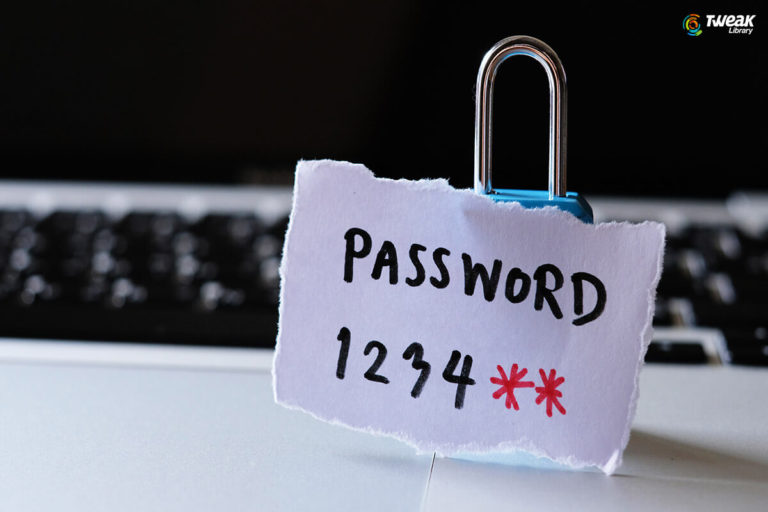
4. Password Manager Should Be Used With Caution
Password managers are very useful when it comes to storing, encrypting, and securing your passwords. Also, they free from filling passwords every time to log in to an individual account. All a user need to do is remember the master password.
Not only the passwords but also the billing address and other details could be stored in encrypted wallets.
However, using a password manager could also go wrong, if the person handling the password manager uses the same password which he/she has been using for other sites as well. Therefore, using a password manager which works in sync with multi-factor authentication could keep the information secure.
5. Overlook the Notifications For Software Update
Some of the automation tools show alerts for software updates. The updates are necessary as they come with new features or improvements. More importantly, the significance of the software update is to remove the vulnerabilities and loopholes to strengthen the security.
As outdated software is always exposed to risks such as attacks and compromising customer data.
That’s why it is always recommended to schedule to check for an update on a specific day of a month using automation software. There are a lot of software which helps you to schedule the reminder in detail such as set a preferred time.
Must Read : Network Security – A Pill For Every Cyber Disease
Conclusion
To sum it up, automation is useful and has a lot of advantages. Having said that, there are a lot of risks involved too. Automation could also be used for benefits and increase productivity but a little negligence while using it could cost you a lot of things. Therefore, staying alert is the most important thing that needs to be done in order to be contemplating before automating businesses.





Leave a Reply